The short answer
A conference AV plan needs a bright projector and correctly sized screens in the general session, a simpler projector, screen, and audio kit in each breakout, a speaker ready room, confidence monitors and presenter switching, plus power, cabling, a load-in schedule, rehearsal time, and day-of support. Check the venue's in-house AV policies early, because some venues charge outside vendors patch or power fees. RentOurProjectors.com supplies projectors, screens, audio, and on-site technicians for single-room meetings through multi-room conferences.
Last reviewed by the RentOurProjectors.com rental team.
Step 1: What does the general session need?
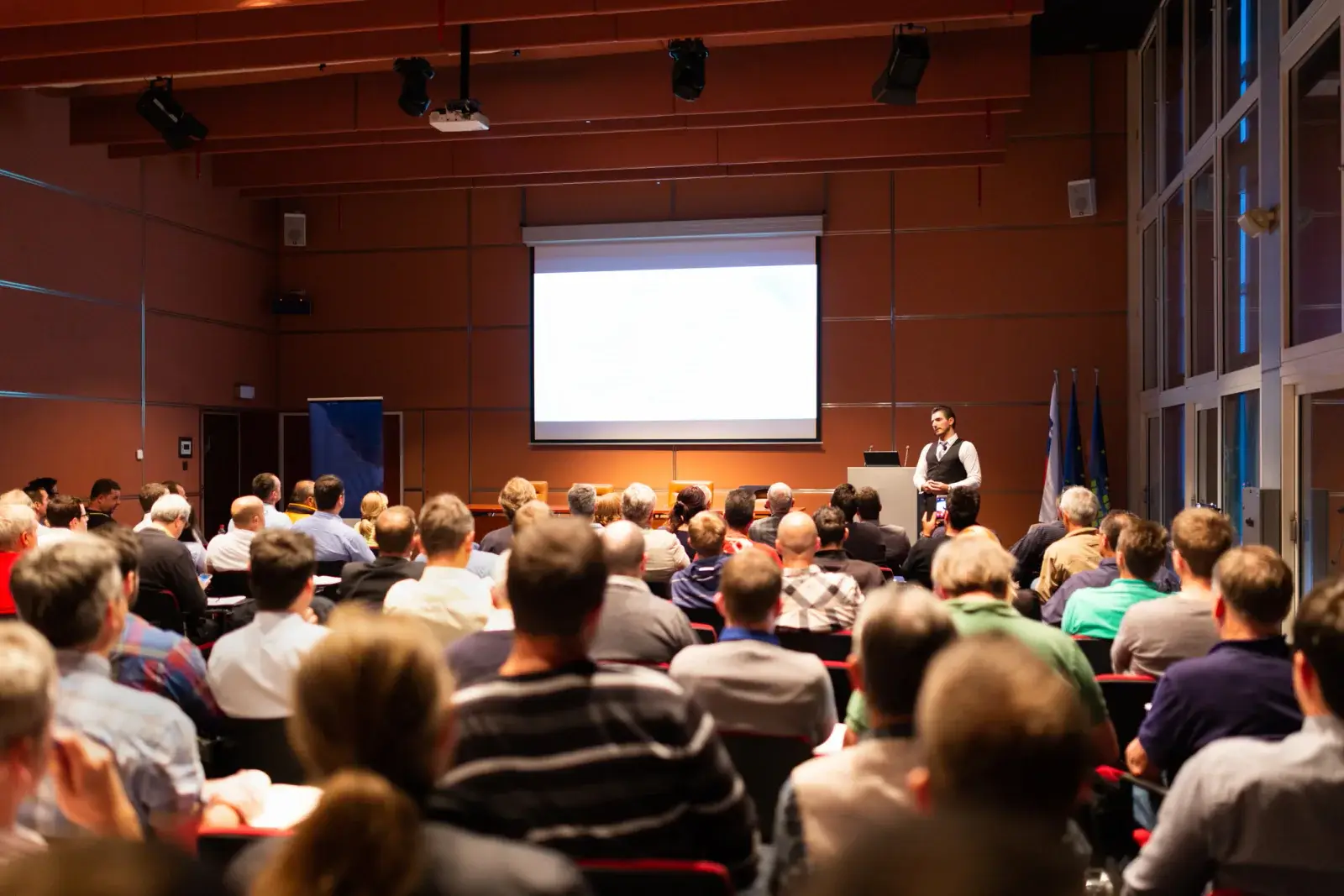
The general session sets the size of the whole AV plan. Start with the room: measure from the screen location to the farthest seat and divide by 6 to find the minimum image height for slides. Worked example: in a ballroom where the back row is 60 feet from the stage, 60 divided by 6 gives a 10-foot-tall image. In 16:9, 10 times 1.78 is about 17.8 feet wide, so a 10.5 x 18 foot fast-fold screen fits. In wide rooms, two screens flanking the stage serve side seating better than one center screen.
Brightness follows the audience and the screen. For about 200-500 or more attendees in a ballroom, plan about 10,000-20,000 or more ANSI lumens per screen, toward the top of that range if the room lights stay up for note taking or cameras. Add a lectern with a microphone, a presentation laptop, a wireless presentation remote, and a black dress kit around each screen for a finished look.
- Screen size from the farthest seat divided by 6; two screens for wide rooms.
- Projector brightness matched to the screen size and room lighting.
- Rear projection where there is enough depth behind the screen, often 8-15 feet, to remove presenter shadows.
- Lectern, microphones, show laptop, presentation remote, and confidence monitor.
Step 2: What do breakouts and the speaker ready room need?
Breakouts are usually smaller and simpler, but there are more of them, so standardize the kit. A room of about 20-75 people typically needs a 4,000-6,000 lumen projector, a tripod or 7.5 x 13 foot fast-fold screen, an HDMI connection at the presenter position with common adapters, and a presentation remote. Rooms above a few dozen people, or any room being recorded, should have speakers and at least one wireless microphone.
The speaker ready room is where presenters review and hand off their files. Equip it with a laptop and display that match the show resolution and aspect ratio, a presentation remote to practice with, a reliable internet connection, and a way to deliver final files to each room. Laptops can be added through our sister site, RentOurLaptops.com.
Step 3: How should presenter switching and confidence monitors work?
Decide early whether presenters will use one show laptop per room or their own devices. A show laptop loaded with every deck is more reliable and makes transitions faster. If presenters bring their own laptops, add a switcher so the next speaker can connect and test while the current one is still presenting, and keep USB-C and other common adapters at the lectern.
A confidence monitor is a display placed at the stage edge, facing the presenter, that shows the current slide (and sometimes the next slide or a timer) so the speaker does not turn around to read the screen. Keep every source set to the same aspect ratio, usually 16:9, so slides fill the screens consistently, and ask presenters to build their decks in that format.
- Show laptop per room, or a switcher for presenter laptops.
- Adapters for USB-C, HDMI, and other common outputs at every lectern.
- Confidence monitor facing the presenter in the general session.
- One aspect ratio across all rooms and all decks.
Step 4: What audio and microphones does each room need?
Audio problems are noticed faster than video problems. Match microphones to the program: a lectern or handheld microphone for single speakers, lavalier microphones for presenters who move, one microphone per panelist for panels, and a handheld audience microphone for questions. Route laptop audio into the sound system so videos in presentations play through the speakers rather than the laptop.
Many hotel ballrooms have house sound that may work for a breakout, but check its condition and any fees before relying on it. Have fresh batteries for every wireless microphone each day, label microphones by room and person, and test them in the room with the audience seating set.
Step 5: How do we plan power, cabling, and load-in?
Plan a standard grounded outlet for each projector, and confirm whether large-venue projectors need a dedicated circuit. Map power for projectors, audio, switchers, and the technician table, and tape down or ramp every cable that crosses a walkway. Run long signal cables before chairs are set, when access is easiest.
Build the load-in schedule from the venue's rules. Many hotels and convention centers assign loading dock windows and freight elevator times, some require union labor for certain tasks, and most require a certificate of insurance from outside vendors. Some venues with in-house AV providers charge outside vendors patch fees for tying into house sound or power fees for electrical service. Ask your venue for its AV and vendor policies in writing before you finalize the plan.
| When | AV task |
|---|---|
| 4-6 weeks before | Confirm rooms, audience sizes, venue AV policies, fees, and insurance certificate wording |
| 2 weeks before | Finalize equipment per room, presenter connection plan, and presentation file deadline |
| Day before | Load in during the dock window; set screens, projectors, audio, and cabling; test every room |
| Day before, evening | Technical rehearsal for the general session with presenters and the run of show |
| Show days | Morning checks in every room, microphone batteries, technician coverage, and room resets |
| Final day | Teardown after the last session and load-out within the venue's window |
Step 6: How should rehearsal and day-of support work?
Hold a technical rehearsal in the general session with the actual presenters, files, microphones, and lighting. Walk through the run of show, including walk-in music, video cues, transitions between speakers, and the audience question segment. Set a firm deadline for final presentation files so they can be loaded and checked before rehearsal.
On show days, schedule an on-site technician for the general session and decide how breakouts will be covered, either with a dedicated technician or a roaming one. Keep spare cables, adapters, batteries, and if possible a spare projector on site, and give each room host a single contact number for AV help.
What does each conference room need?
Use the table as a starting point for a room-by-room equipment list. Adjust brightness up for rooms with lights on or windows, and adjust screen size to the farthest seat in each room.
- Share the room list, audience sizes, and agenda when requesting a quote.
- Include the venue's AV policies, dock times, and insurance requirements.
- Note which rooms need a technician all day and which need setup only.
| Room | Typical audience | Projector brightness | Screen | Audio and extras |
|---|---|---|---|---|
| General session | 200-500+ | 10,000-20,000+ ANSI lumens | 9 x 16 or 10.5 x 18 ft fast-fold, often two | Speakers, mixer, lectern and wireless mics, confidence monitor, technician |
| Large breakout | 75-200 | 6,000-10,000 ANSI lumens | 7.5 x 13 or 9 x 16 ft fast-fold | Speakers, two wireless mics, switcher |
| Standard breakout | 20-75 | 4,000-6,000 ANSI lumens | Tripod or 7.5 x 13 ft fast-fold | Powered speaker and one wireless mic for larger rooms |
| Board or small meeting room | Up to 20 | 3,000-4,000 ANSI lumens | Tripod screen, roughly 6-10 ft | HDMI and adapters; speakerphone if remote attendees join |
| Speaker ready room | Presenters | Not usually needed | Monitor matching show format | Laptop, presentation remote, internet access |
| Registration and foyer | Attendees in transit | Depends on signage plan | Small screen or display | Agenda and sponsor loop playback |
Frequently asked questions
What is a confidence monitor at a conference?
It is a display at the front edge of the stage, facing the presenter, that shows the current slide and sometimes the next slide or a timer. It lets the speaker keep facing the audience instead of turning to read the screen.
Do we have to use the venue's in-house AV company?
Not always, but policies vary. Some venues have exclusive or preferred AV providers, and some charge outside vendors patch or power fees. Ask your venue for its AV and vendor policies in writing before signing equipment contracts.
When should conference presentation files be collected?
Set a deadline before the technical rehearsal so every deck can be loaded, checked for format and fonts, and tested on the show laptop. Keep the speaker ready room open for last-minute updates during the event.
Do conference breakout rooms need microphones?
Small rooms of a couple dozen people often do not. Rooms with more than a few dozen attendees, rooms with poor acoustics, sessions being recorded, and sessions with audience questions benefit from speakers and at least one wireless microphone.